Google Sheets Personal Finance Template: Your Free Financial Dashboard
Managing personal finances can feel overwhelming. Budgets, expenses, savings goals – it’s a lot to keep track of. Luckily, Google Sheets offers a free and powerful solution: its personal finance template. This readily available tool provides a user-friendly interface to track your income, expenses, and net worth, empowering you to take control of your financial well-being.
What is the Google Sheets Personal Finance Template?
The Google Sheets personal finance template is a pre-built spreadsheet designed to simplify personal finance management. It acts as a central hub where you can record your financial transactions and gain a clear overview of your financial health. Instead of manually creating a spreadsheet from scratch, you can leverage this template’s pre-defined categories, formulas, and charts to streamline the process. It’s typically found under “Template gallery” when you create a new spreadsheet in Google Sheets, usually labelled as “Personal budget”.
Key Features and Functionality
The template typically incorporates several key features:
- Income Tracking: Easily record all sources of income, such as salary, side hustles, investments, or other revenue streams. Categorize your income to understand its sources and trends.
- Expense Tracking: This is the core of the template. Log your expenses, categorizing them into groups like rent/mortgage, utilities, groceries, transportation, entertainment, and more. The granular the categories, the more insights you’ll gain.
- Budgeting: Set monthly budgets for each expense category. The template then helps you compare your actual spending against your budgeted amounts, highlighting areas where you’re overspending or underspending.
- Visualizations: The template usually includes pre-built charts and graphs that automatically visualize your income, expenses, and budget. This allows you to quickly identify spending patterns and track your progress towards your financial goals. Common charts include pie charts showing expense breakdowns and line graphs illustrating income and expense trends over time.
- Net Worth Calculation: While some versions have this, you can easily add a section to track assets (e.g., cash, investments, property) and liabilities (e.g., loans, credit card debt). The template can then calculate your net worth, providing a snapshot of your overall financial health.
- Customization: Despite being a pre-built template, it’s highly customizable. You can add or remove categories, adjust formulas, and create new charts to tailor it to your specific financial needs and preferences.
Benefits of Using the Template
Adopting the Google Sheets personal finance template offers several advantages:
- Free and Accessible: It’s completely free to use with a Google account. Being cloud-based, you can access it from any device with an internet connection.
- Easy to Use: The pre-defined categories and formulas make it easy to get started, even for beginners. Its intuitive interface simplifies data entry and analysis.
- Provides Clear Financial Insights: The template helps you visualize your spending habits and identify areas for improvement. You can see where your money is going and make informed decisions about your finances.
- Helps You Stick to Your Budget: By tracking your spending against your budget, the template promotes accountability and encourages you to stay on track.
- Facilitates Goal Setting: By understanding your financial situation, you can set realistic financial goals, such as saving for a down payment on a house, paying off debt, or investing for retirement.
- Customizable and Scalable: You can tailor the template to your specific needs and expand it as your financial situation evolves.
How to Get Started
Using the Google Sheets personal finance template is straightforward:
- Open Google Sheets: Go to sheets.google.com and sign in to your Google account.
- Create a New Spreadsheet: Click on the “+” button to create a new spreadsheet.
- Choose the Template: At the top of the screen, you should see a “Template gallery”. Click on it and look for the “Personal budget” template (or a similar name related to personal finance).
- Start Tracking: Begin entering your income and expenses into the designated columns and rows.
- Customize: Modify the categories, formulas, and charts as needed to fit your specific financial circumstances.
Tips for Effective Use
To maximize the benefits of the Google Sheets personal finance template, consider these tips:
- Be Consistent: Regularly update the template with your income and expenses. The more consistent you are, the more accurate your data will be.
- Categorize Accurately: Ensure that you categorize your expenses correctly for accurate analysis.
- Review Regularly: Set aside time each week or month to review your spending habits and identify areas for improvement.
- Set Realistic Budgets: Base your budgets on your actual spending habits, not on unrealistic expectations.
- Experiment with Visualizations: Explore different chart types to find the visualizations that best help you understand your financial data.
- Secure Your Data: As with any financial information, protect your Google Sheets file with a strong password and enable two-factor authentication on your Google account.
Conclusion
The Google Sheets personal finance template is a valuable tool for anyone looking to gain control of their finances. Its ease of use, accessibility, and customization options make it a powerful alternative to expensive budgeting software. By consistently tracking your income, expenses, and net worth, you can develop a deeper understanding of your financial situation and make informed decisions to achieve your financial goals. Take the first step towards financial freedom by exploring the Google Sheets personal finance template today.
 1024×791 personal finance spreadsheet template db excelcom from db-excel.com
 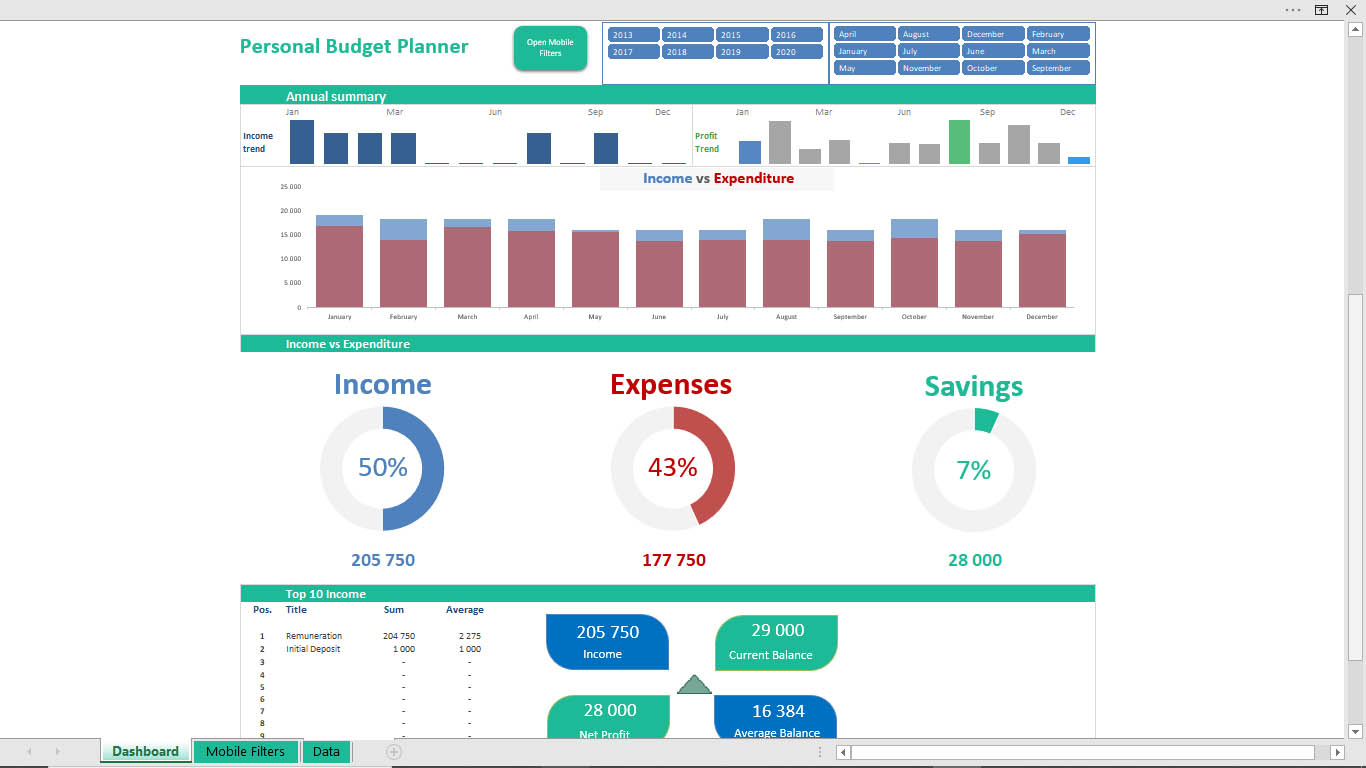 1366×768 google sheets personal finance template master template from ekdoseispelasgos.blogspot.com
  1280×800 personal finance spreadsheet template excelxocom from excelxo.com
  1024×546 top finance templates google sheets blog sheetgo from blog.sheetgo.com
  980×628 top finance templates google sheets sheetgo blog from blog.sheetgo.com


Tidak ada komentar:
Posting Komentar